This October, Fozzels takes a big step towards one simple promise: more content, less work, and nothing in your shop you didn’t approve of. One Flow now fills up to 13 attributes at once. Workflows apply your quality rules to every result automatically. A brand-new prompt editor shows you exactly what the AI will see while you type. And a whole layer of safeguards keeps AI mistakes out of your catalog.
Here’s a tour of everything that’s new, and how to start using it today. The full release notes, including step-by-step guides, are on our Help Center.
1. Fill up to 13 attributes in a single Flow
Until now, every attribute needed its own Flow: one for the description, one for the short description, one for the meta title, and so on. That’s over. A single Flow can now fill a main attribute plus up to 12 more, all generated in one AI request per product.
That matters for two reasons. First, your product data and images are sent to the AI only once, which makes generation faster and cheaper. Second, because all texts are written together, they fit each other naturally: the meta description matches the description, and the short description doesn’t contradict the long one.
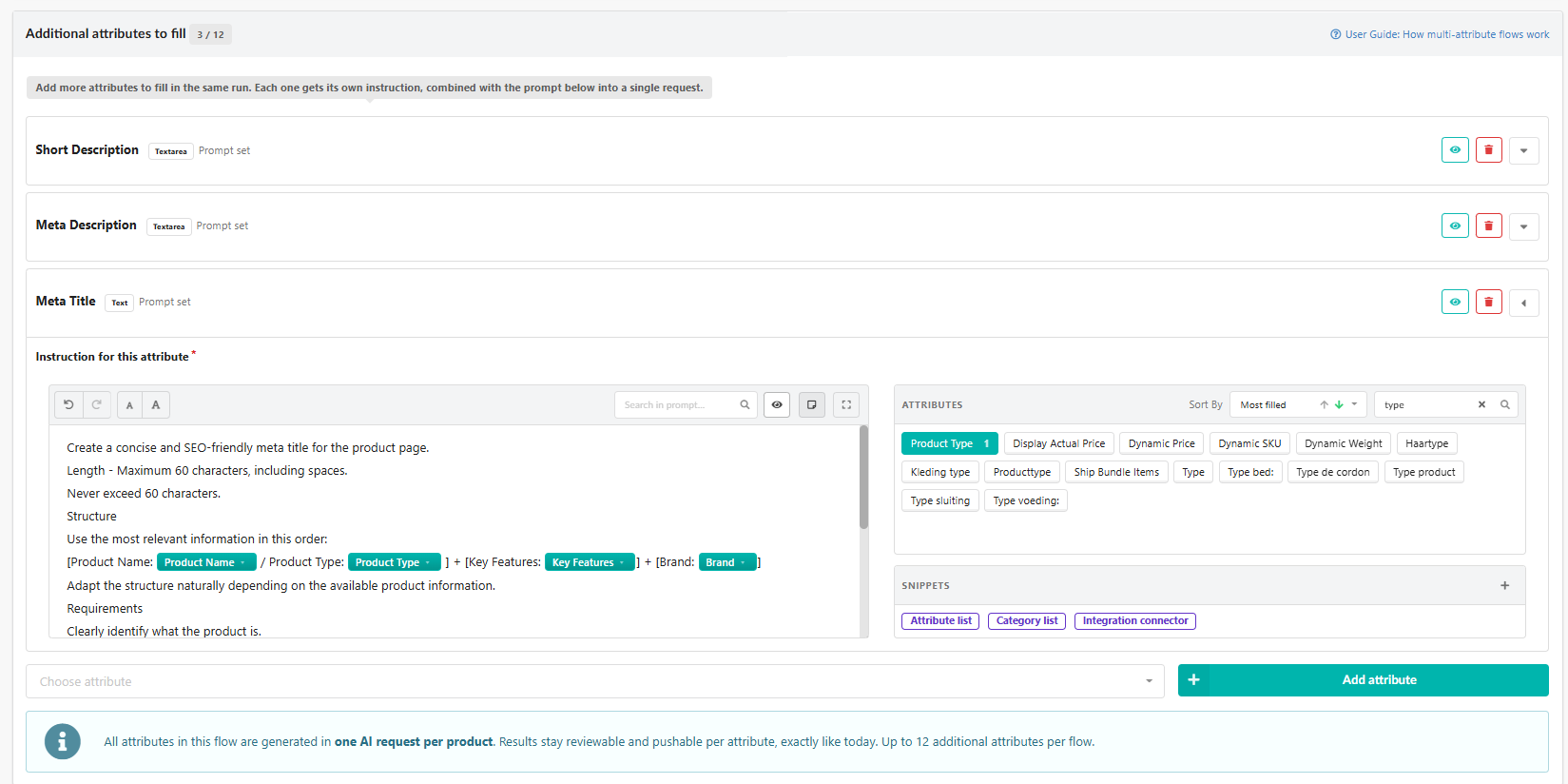
In the Batch List, each attribute gets its own column, so you review all results for a product in one row instead of jumping between Flows.
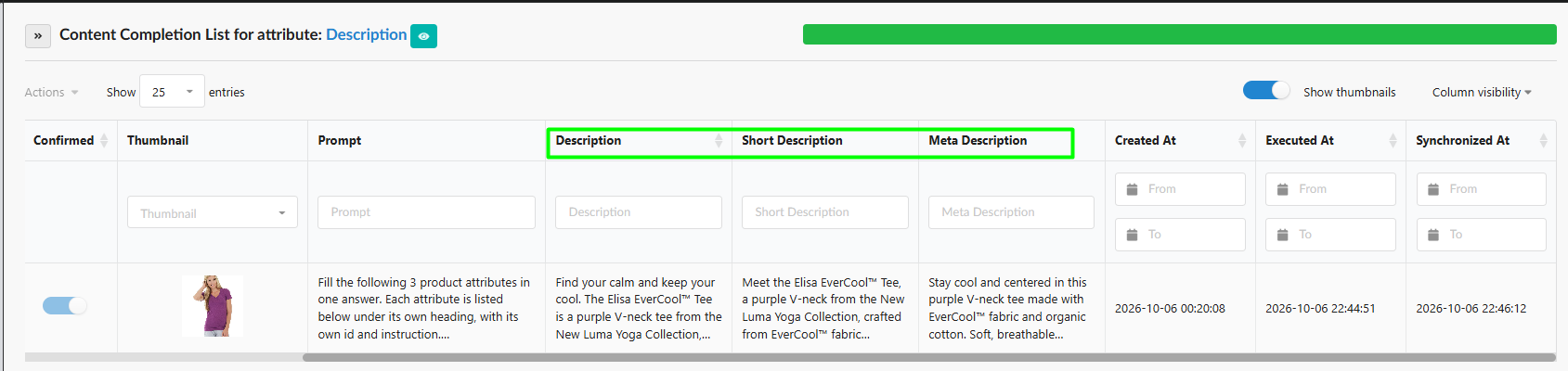
Where to find it: open a Flow, go to Flow Selection & Prompt, and add attributes under Additional attributes to fill, each with its own instruction.
2. Workflows: your quality rules, on autopilot
Workflows are a new layer between the AI and your shop. You define simple IF / THEN rules once, and Fozzels applies them to every new result before it is synced:
- Replace text — swap or remove words and phrases, for example to keep brand terms consistent or strip a competitor’s name.
- Truncate — cut a text to a maximum length while keeping whole words, perfect for meta titles and marketplace limits.
- Mark suspicious — hold a result for manual review, with a reason your team can see.
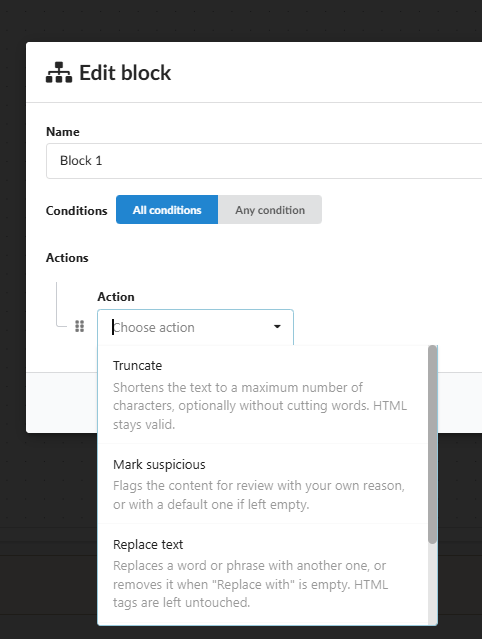
You can chain several Workflows in one Flow, and a flagged result is never synced until someone has checked it. The result: consistent, on-brand content at scale, without a human reading every single text.
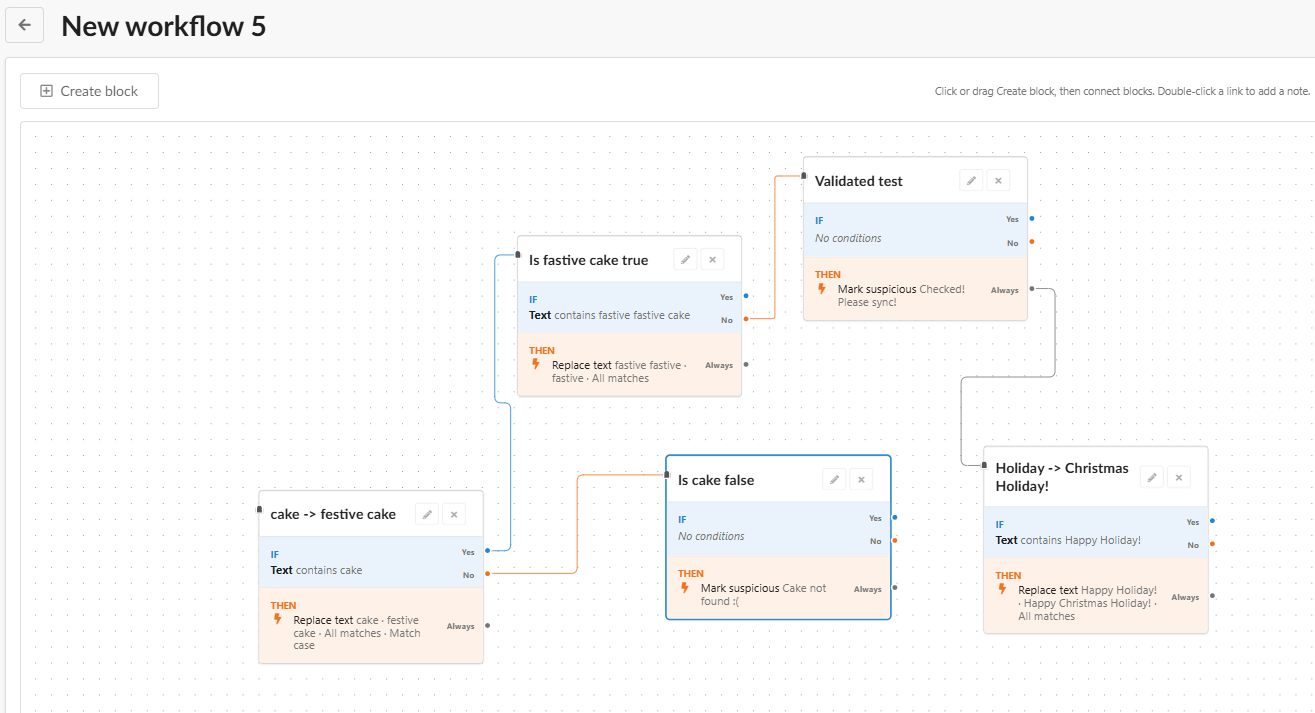
Where to find it: Home → Workflows. Create a workflow, then assign it to a Flow in the Automation step.
3. A new prompt editor with live preview
Writing a good prompt is the heart of good AI content, and it just became a lot easier. In the new editor, attributes and conditions appear as clear blocks, and a live preview shows the exact prompt for a real product while you type. No more saving and opening a preview to check what the AI will actually see. Type / or drag an attribute from the panel to add product data.
Need a hand? Jane, our AI assistant, now lives right inside the editor. Ask her to write a prompt from scratch, tighten your tone of voice, or adjust an existing prompt for a new attribute.
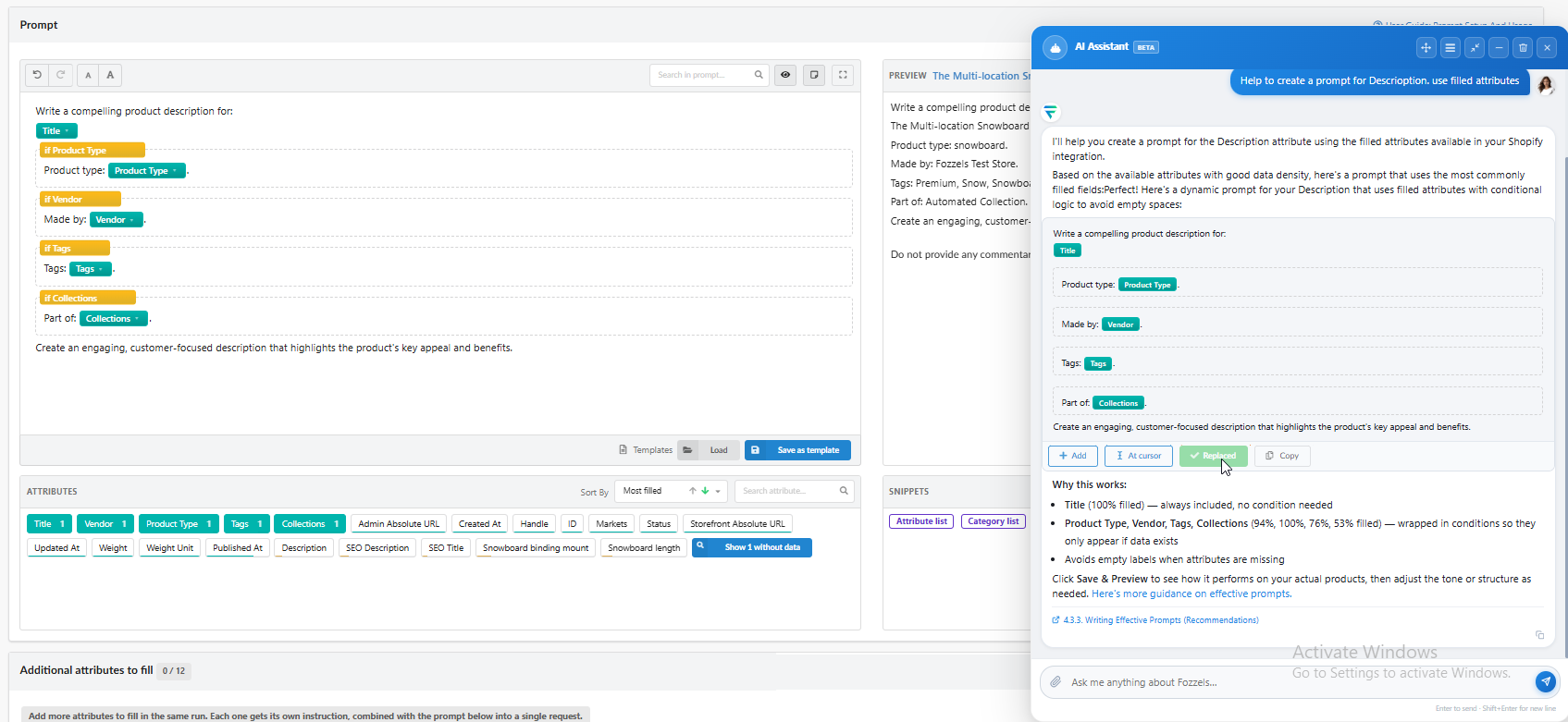
Reusable prompt snippets
Save the parts of your prompts you use everywhere, such as your brand’s tone of voice or a grouped list of attributes, as a snippet. Add it to any prompt in one click. Update the snippet once, and every Flow that uses it is updated too. Managing fifty Flows just became as easy as managing one.
4. Category texts that know their products
Category Flows can now include the products of the category in the prompt, with their names, links, slugs and other attributes. Your category descriptions can mention real products and include working links to product pages. That’s great for SEO, and it helps shoppers find what they’re looking for straight from the category page.
5. New AI models: GPT-6 Astra and Claude Opus 5.5
The latest and most capable models are now available in your Flows. GPT-6 Astra also supports web search, including in the Sandbox, so it can add useful information that isn’t in your catalog yet. Claude Opus 5.5 brings Anthropic’s newest flagship to your product texts. Premium models cost more per generation; the price is shown on each model tile in the AI Configuration step, so you always know what you’re paying for.

Safer AI content: only reliable texts reach your shop
AI models sometimes invent facts, guess what a product looks like, or leave their own notes in the text. We added safeguards at every step of the pipeline, so only content you can trust is synced:
- Confidence threshold. The AI now reports how sure it is of each value. Set a threshold per Flow (from 0.1 to 1.0) in the Automation step, and anything below it waits for your review instead of going live automatically.
- Smarter suspicious content detection. A longer default list of suspicious words, plus new built-in patterns that recognize the typical shape of an AI comment such as “Here is the…” or “Final check”, even in wordings the model never used before. Switch patterns on or off and add your own words in the integration settings.
- A check for features that are off. Save a Flow whose prompt needs web search or product images while that feature is switched off, and Fozzels warns you, with a button to open AI Configuration or ask Jane.
- No guessing without images. If your Flow uses product images but a product has none, or they can’t be read, that product is skipped instead of the AI guessing.
- Reliable models only. Outdated models and models that could leave their reasoning in your texts have been removed.
- Stronger built-in instructions. Every Flow now includes stricter general instructions that keep the AI to the facts and to your requested format.
- Every Flow needs an AI model, and if a generation fails you now see the actual reason instead of “Unknown error occurred”.
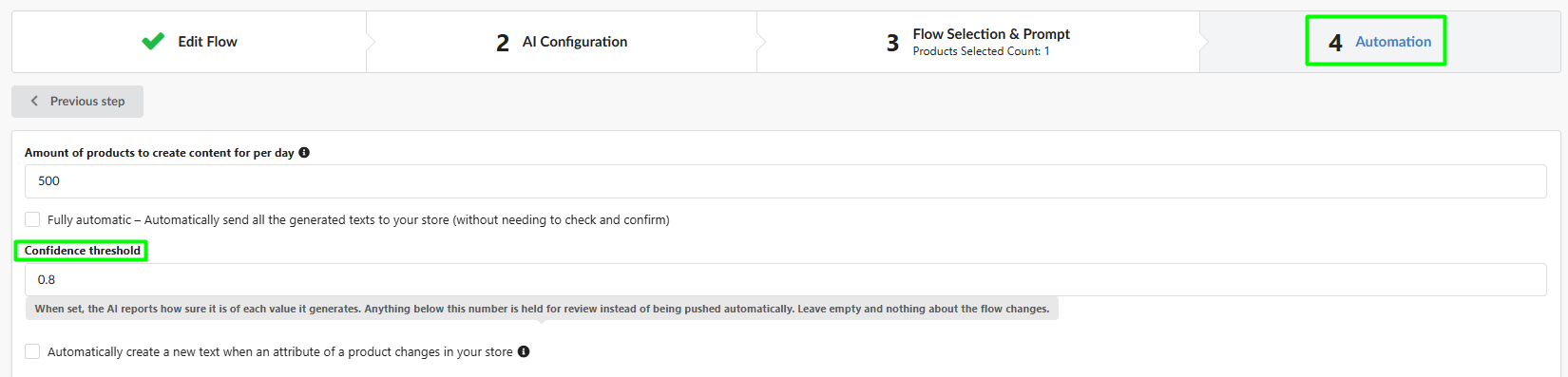
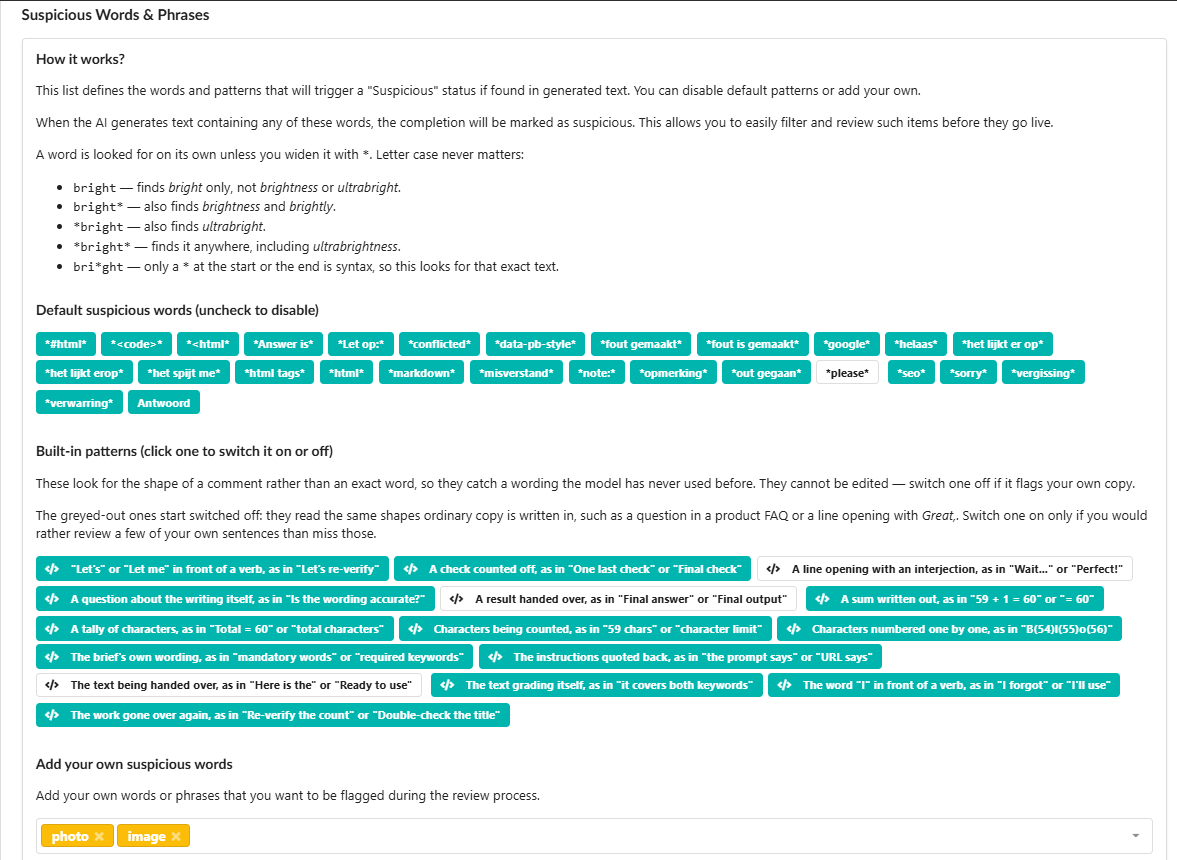
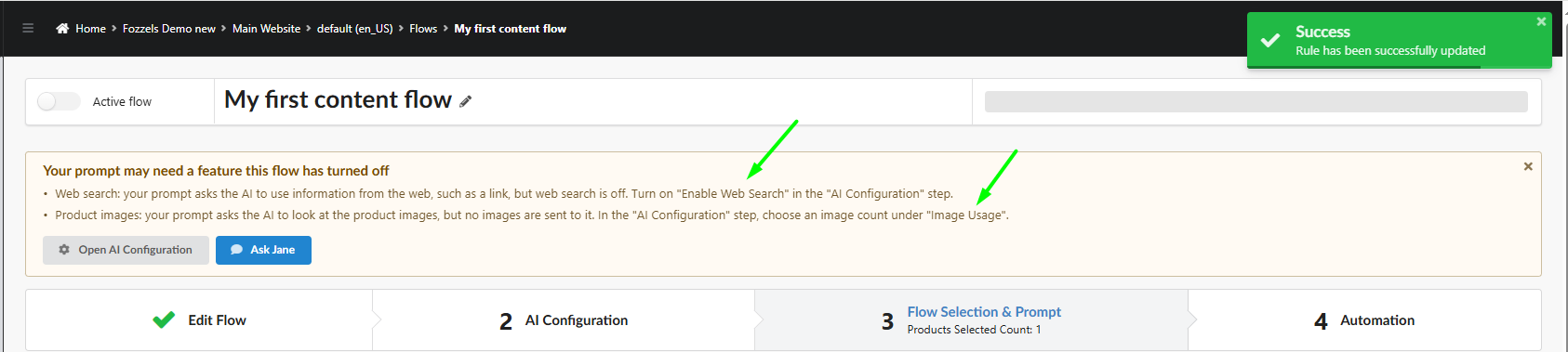
Image Flows
- Duplicate an Image Flow. Copy an existing Image Flow with all its presets, scenes, logo and prompt, and change only what’s different.
- One extra product image for the whole Flow. Choose an image position, for example the 2nd image, and Fozzels adds it to every product on top of the main image. The AI sees more angles and reproduces cut, print and texture more accurately.
- Run Now respects your daily limit. Manual runs now count toward the products-per-day amount of the Flow, with a clear warning when the limit is reached. Free test generations in the preview don’t count.

Catalog and Batch List: faster to the texts you need
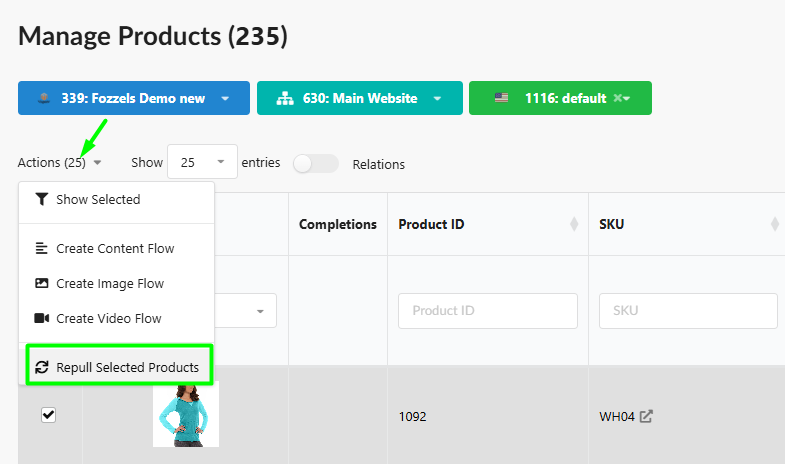
- Refresh selected products. Changed a few products in your shop? Repull just those products instead of the whole catalog, and generate new content right away.
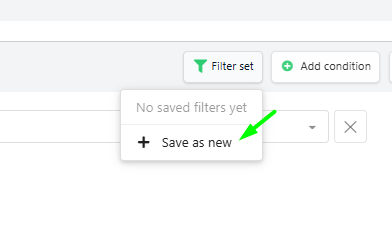
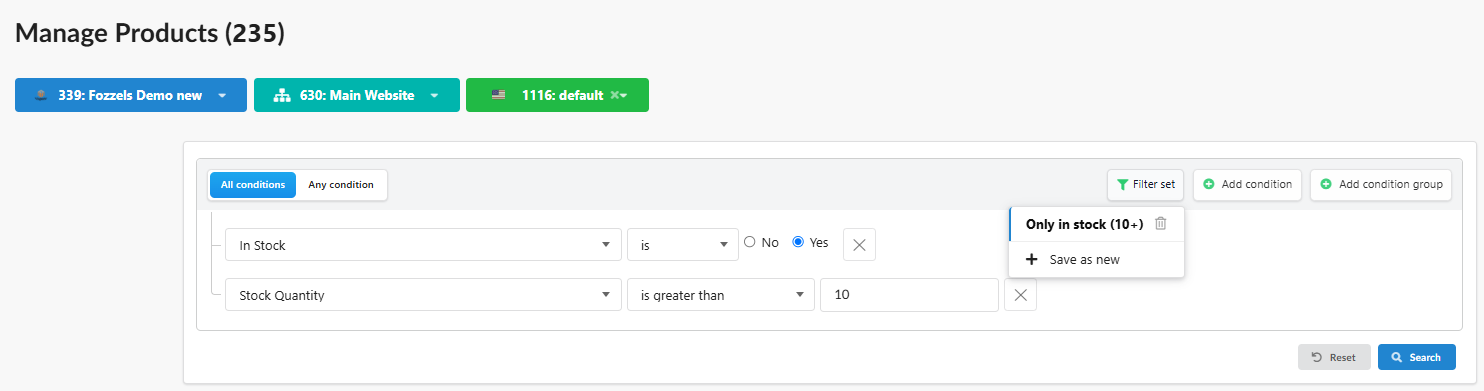
- Saved filter sets. Save a filter combination once, for example “Women – empty descriptions”, and apply it in one click in integrations, the catalog and Flows.
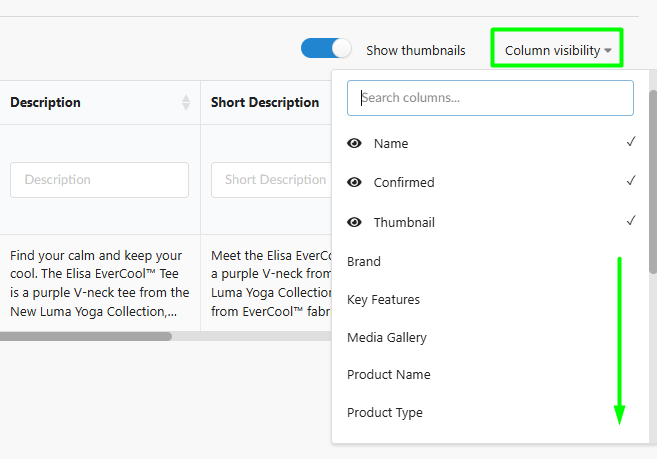
- Choose your Batch List columns. You asked, we built it. Pin any attribute to the Batch List with one checkbox, and choose which prompt attributes to show per Flow.
- Richer reports with extra generated-attribute columns, a review popup that scrolls automatically, and a clear overview of what gets activated when you switch on a Flow.
Jane and your account
- Jane knows the new editor. Ask her to read, write or update prompts in the new prompt editor and in multi-attribute Flows.
- Separate finance email. Send invoices and balance notifications to your accounting address instead of your login email.
- Timezone by country. New accounts automatically get the timezone of their country, so imports run at the right local time.
- Connection help. If an integration can’t connect, for example because of a firewall, Fozzels links you straight to the Help Center page that explains what to allow.
Integration updates
Magento 2
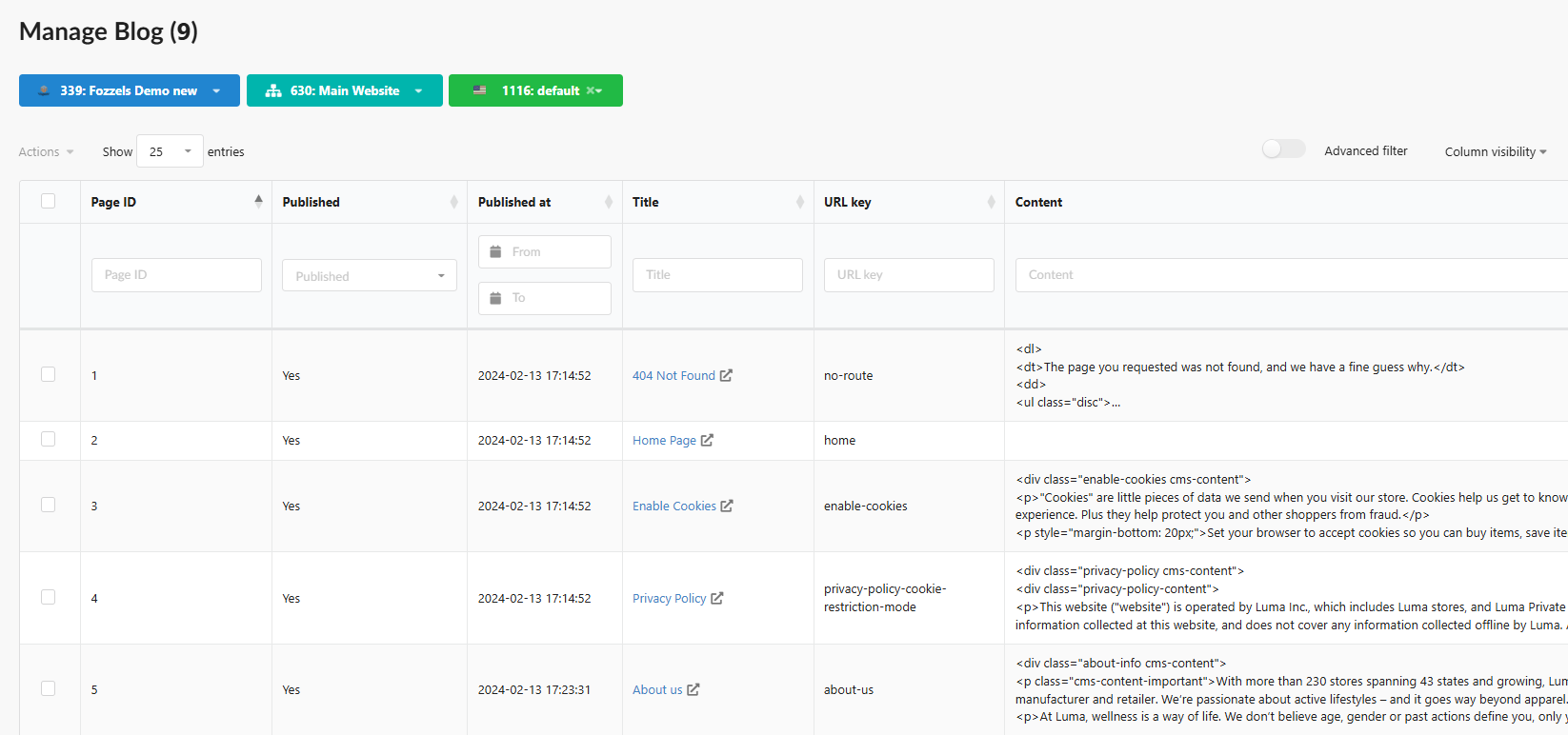
- Blog and CMS content (first step). Fozzels now imports your blog and CMS pages with their attributes into a separate catalog. AI content generation for blogs and CMS pages is coming in a next update.
- Filter by stock status and quantity, so you focus on products that are actually in stock. Switch on Pull stock status and Pull stock quantity in your integration settings.
- Sync images to All Store Views. One sync now updates every store view.

WooCommerce: alt texts for product images, for better SEO and accessibility.
Salesforce Commerce Cloud: stock filtering and pull conditions at the integration level, so you import only the products you need.
CSV / Raw File: larger files are now supported thanks to pagination.
BizzLayer: products removed from your feed are no longer used for content generation.
And a batch of fixes
Special characters such as & now display correctly in your shop, the product count in Flows matches your actual selection, sync progress no longer counts deleted products, filters in older Flows pass products to the Batch List correctly, the prompt and product preview update automatically when you change filters, active Image Flows no longer show as inactive, and image generation no longer stops on large or unavailable images.

Start using it today
All of this is live in your account right now. Log in, open a Flow, and try the new editor and the additional attributes. For step-by-step guides, read the full release notes on our Help Center, or simply ask Jane in the app.
Not a Fozzels user yet? Request a demo and see how one Flow can fill your entire product catalog.
Should you have any comments, remarks, or questions, please reach out to support@fozzels.com.
Happy prompting,
The Fozzels Team